
RelayBridge4iOS
by Amirii's Customs™ · version 1.2.4
Turns a spare jailbroken iPhone into a Continuity relay device, like an iPad or Mac. Your main iPhone forwards SMS and phone calls to it, and iMessage keeps working normally.
RelayBridge4iOS is free. Donations are optional and help fund testing on more devices.
Works
- Send and receive SMS (green bubble) through your main iPhone
- Receive MMS picture texts
- Make and receive phone calls through your main iPhone
- iMessage and FaceTime, including photos
Not supported
- Sending MMS picture texts (send pictures over iMessage instead)
- Moving a call that's already in progress from your main iPhone
Setup
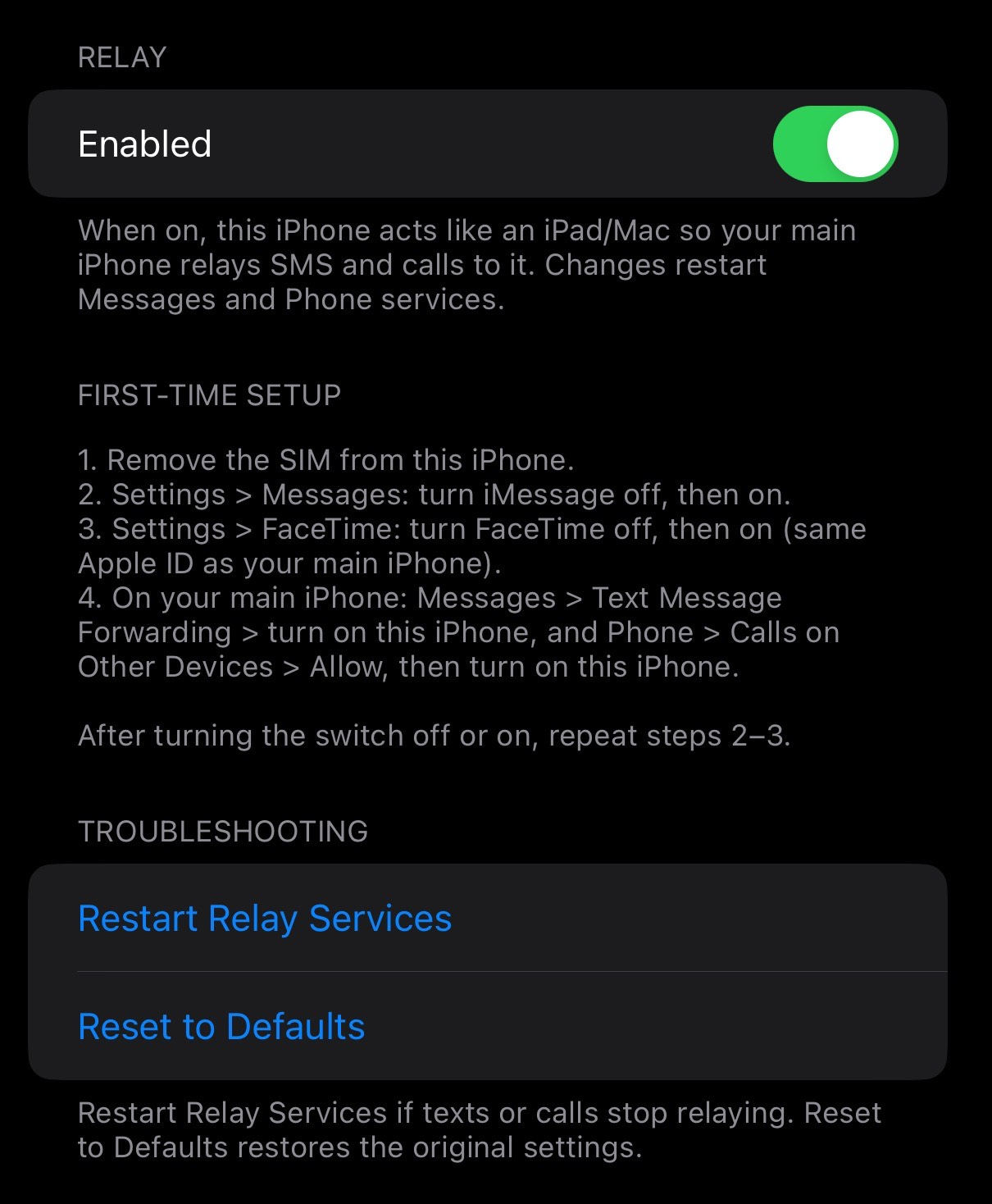
- Remove the SIM from the jailbroken iPhone.
- Install RelayBridge4iOS.
- Settings → Messages: turn iMessage off, then on.
- Settings → FaceTime: turn FaceTime off, then on (same Apple ID as your main iPhone).
- On your main iPhone: Messages → Text Message Forwarding → turn on this iPhone, and Phone → Calls on Other Devices → Allow → turn on this iPhone.
Privacy & security
- No network access. RelayBridge4iOS never connects to the internet, sends data anywhere, or reads your IP address, MAC address or other network info.
- No personal data in the package or source. No names, emails, device identifiers or file paths. Packages are built on GitHub's servers from the public source.
- Apple's encryption is unchanged. It only answers one question differently inside a few Messages and Phone processes: "Does this device have cellular?" It answers "no", like an iPad. SMS and call relay still use Apple's end-to-end encrypted Continuity connection. RelayBridge4iOS never sees message content, call audio or encryption keys.
- No one else gets new information. Apple sees the same kinds of things it sees from any of your devices; nobody else sees anything.
- Debug logs stay on your phone, are off by default, are never uploaded, and show device identifiers as <redacted>.
Keep your jailbroken phone secure: set a passcode, change the default SSH passwords (passwd and passwd mobile as root), and only install tweaks you trust.
Compatibility
- Tested: iPhone 8 Plus, iOS 16.7.15, palera1n (rootless)
- Expected to work: iOS 15–16 rootless (palera1n, Dopamine). Please report.
- Beta: iOS 14 rootful (unc0ver, Taurine, checkra1n). Untested.
The jailbroken iPhone must have no SIM and use the same Apple ID as your main iPhone.
Changelog
1.2.4 License and trademark notices in Settings and the package.
1.2.3 Renamed to RelayBridge4iOS.
1.2.2 Rootful (iOS 14) beta build, arm64e support for A12+ devices, repo icons and package page.
1.2.1 Debug logs never record device identifiers and are off by default. Old logs are deleted on install.
1.2.0 Fixed iMessage photos. Fewer changes to how the phone identifies itself.
1.0.0 Settings page, enabled automatically on install, clean uninstall.
GitHub: github.com/AmiriisCustoms/relaybridge4ios
RelayBridge™ and Amirii's Customs™ are trademarks of Amirii's Customs. © 2026 Amirii's Customs. All rights reserved. Free for personal use; redistribution or modification is not permitted. Not affiliated with Apple Inc. Apple, iPhone, iMessage, FaceTime and iOS are trademarks of Apple Inc. License